Spool inventory
Every spool you own, any brand, the same as on your desktop and your phone. Change a weight on the tablet and the computer already knows.
In your browser
Tiger Studio Web is Tiger Studio Manager 2 in your browser, at studio.tigersystem.io: your spools, racks, lists and the official catalogue, on a computer or a tablet. Nothing to install.
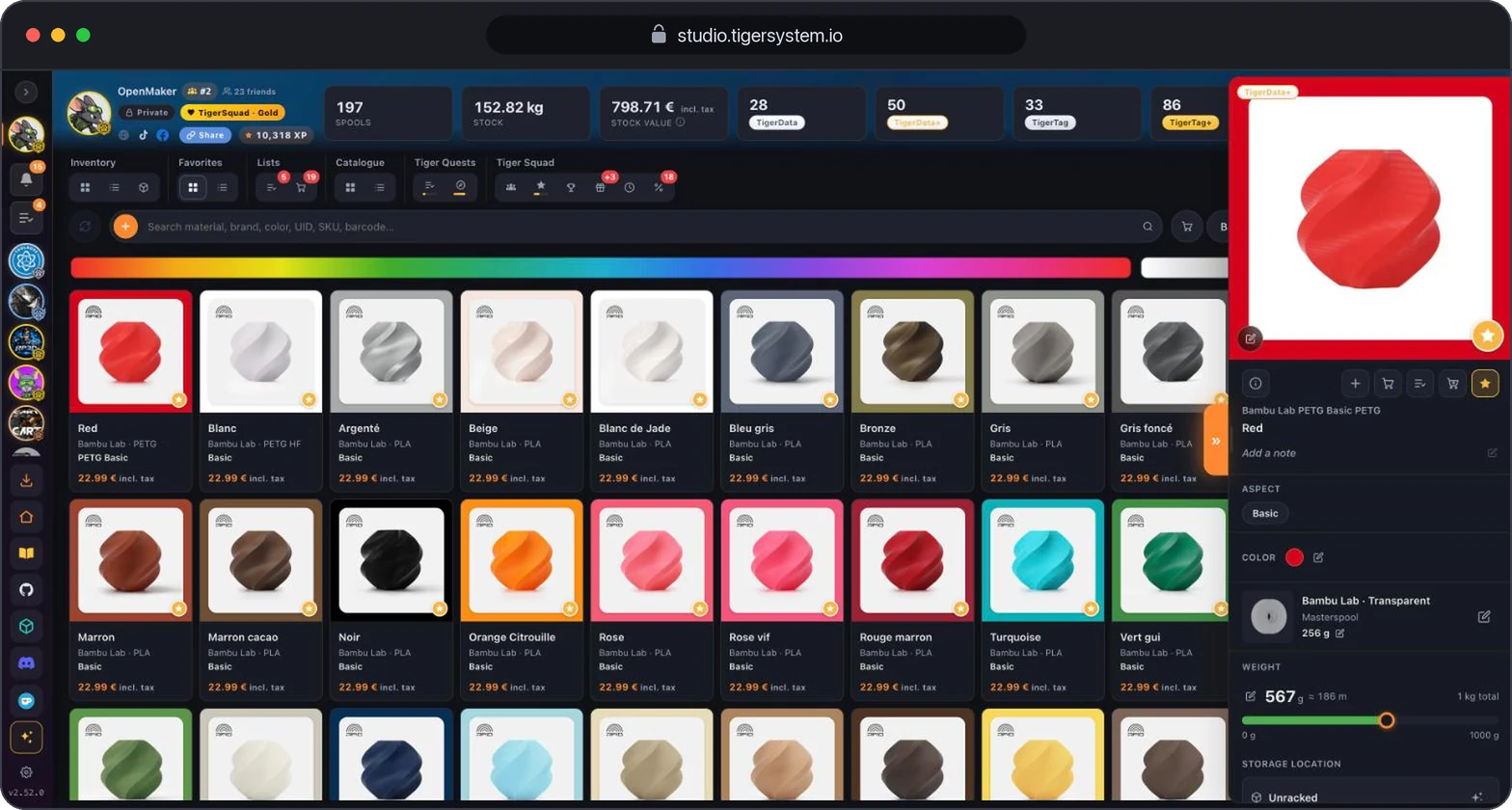
The same code as the desktop app, so the same screens. Only the jobs that need a cable stay on the desktop.
Every spool you own, any brand, the same as on your desktop and your phone. Change a weight on the tablet and the computer already knows.
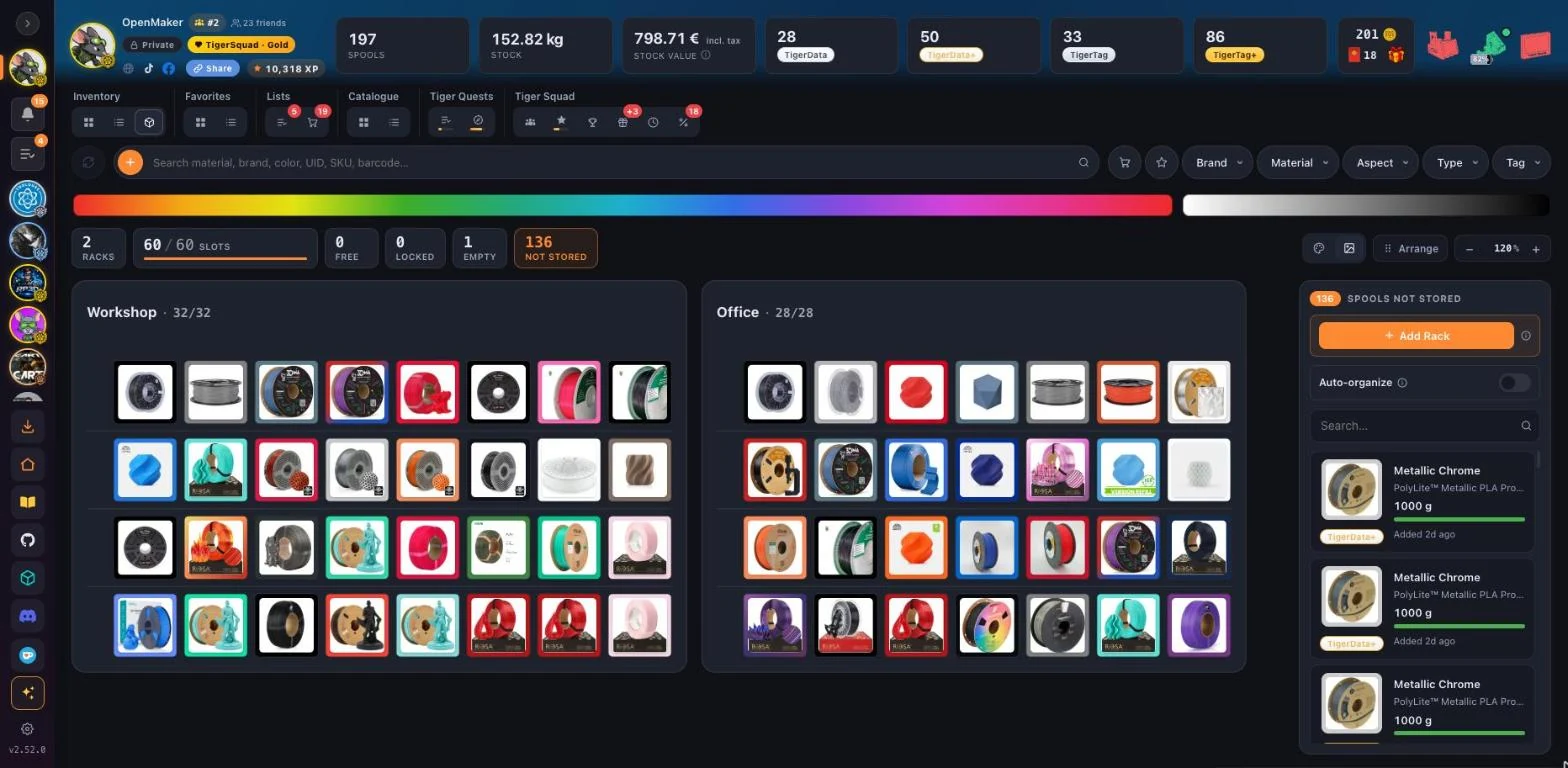
Your racks as they stand, slot by slot. Find the white PETG from the workshop, the sofa or the train.
Search by brand, material or barcode and add a spool with its real settings already filled in.
The spools to buy again, the colours you love, the ones for the next project: your lists follow you everywhere.
See what your friends have on their shelves and get your notifications. A friend link opens the Add-friend window already filled in.
Install the app from the sidebar in Chrome, Edge or on Android, or add it to the Home Screen on an iPhone or iPad. It opens in its own window, like any app.
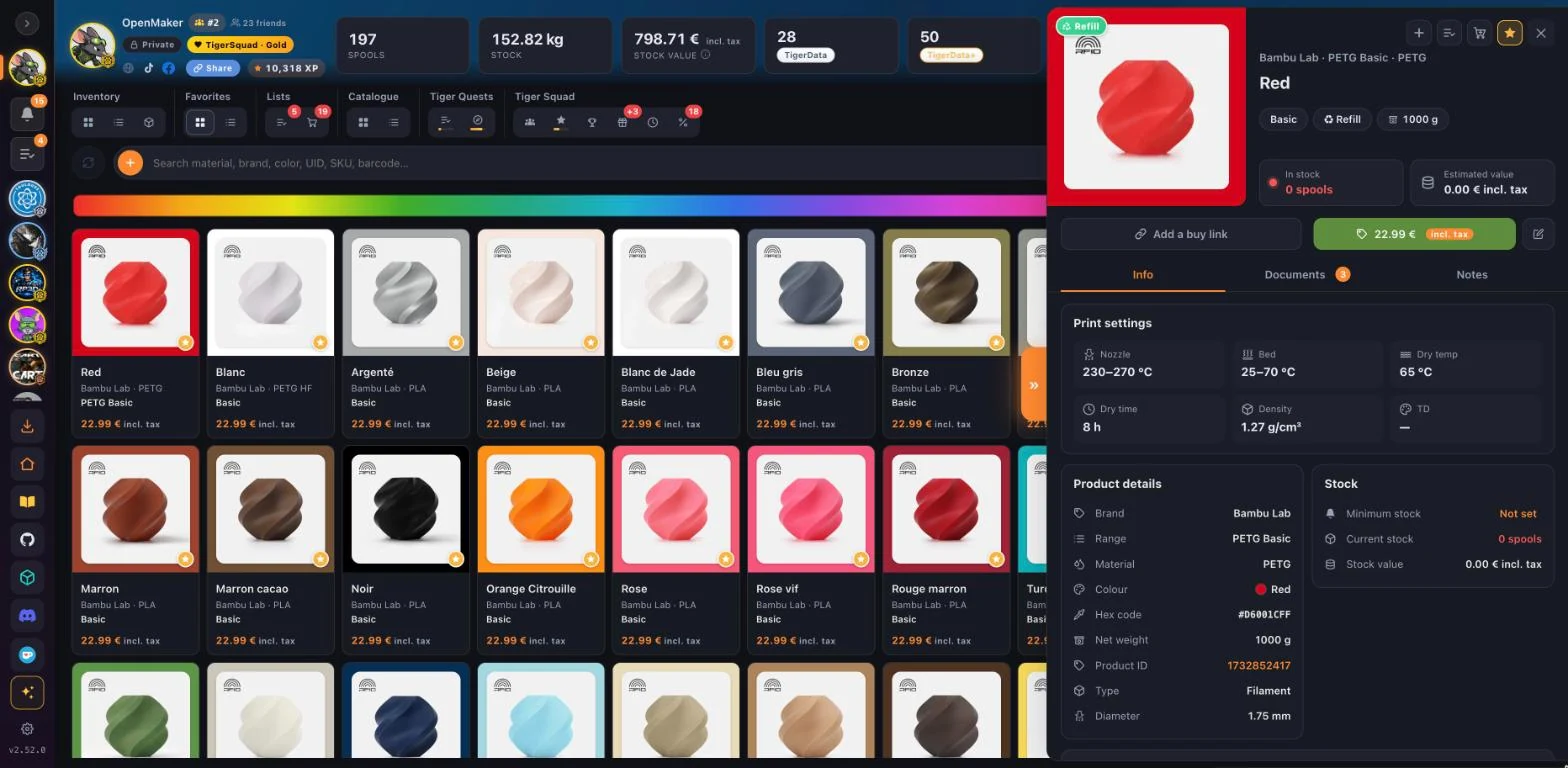
Every spool in a grid, its photo framed in its own colour. Tap one and its details open: material, settings, grams left and where it lives.
Every slot shows the spool stored in it, and spools without a home stay in view until they get one.
Tiger Studio Manager 2 running in your browser at studio.tigersystem.io, built from the same code as the desktop app, with the same account and the same data.
Everything that talks to hardware: NFC readers and the TigerPOD, the TD1S colour sensor, USB scales, printers and their cameras. For those, use Tiger Studio Manager 2 on Windows, macOS or Linux.
Yes, your TigerSystem account, with Google or an email. Sign in once and Studio Web remembers you.
Yes. The sidebar follows the screen, slim in portrait and full in landscape, and the actions that need a mouse elsewhere are shown on touch screens. Add it to the Home Screen to open it like an app.
Yes. Studio Web follows each published release of the desktop app, and a page left open reloads onto the new version.
Open studio.tigersystem.io, sign in with your TigerSystem account, and your spools are already there.
Open Tiger Studio Web