Spool inventory
Every spool you own, any brand, synced in real time. Grid or table, search, a weight slider that saves itself and a colour bar to find that exact orange.
Free desktop app
Tiger Studio Manager 2 knows every spool on your shelf and what every printer is doing right now. Free on Windows, macOS and Linux, with your inventory in the browser too.
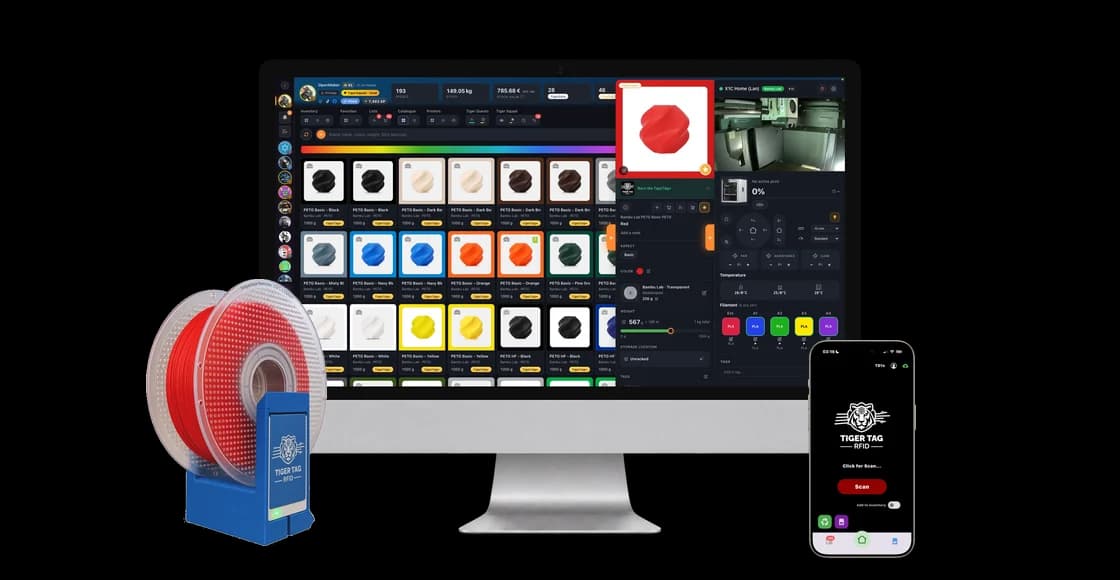
Six jobs, one window. It works on its own; a reader, a scale or a printer nearby just gives it more to do.
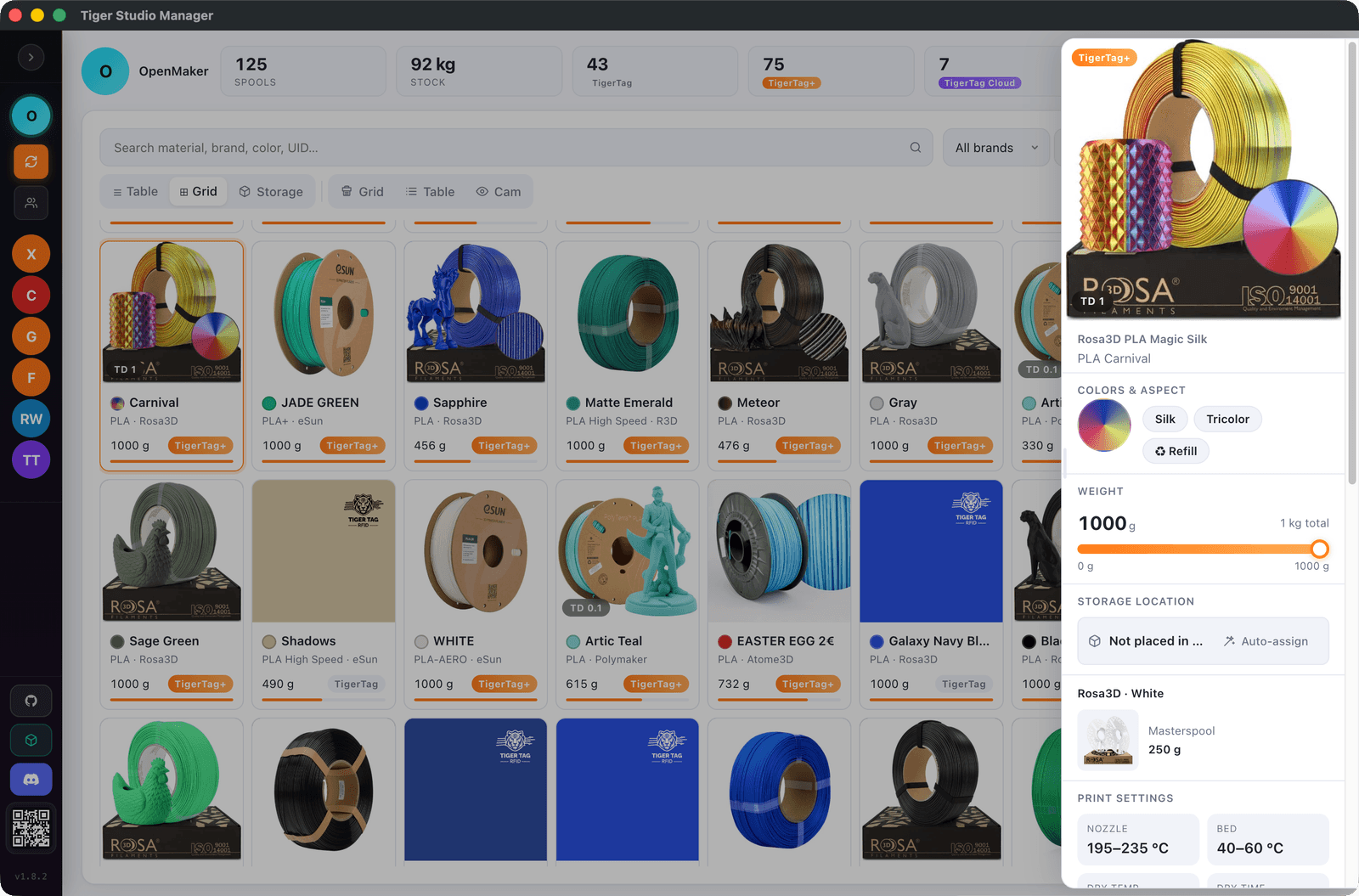
Every spool you own, any brand, synced in real time. Grid or table, search, a weight slider that saves itself and a colour bar to find that exact orange.
Search by brand, material or barcode and add a spool with its real settings already filled in. No chip needed, nothing to stick on.
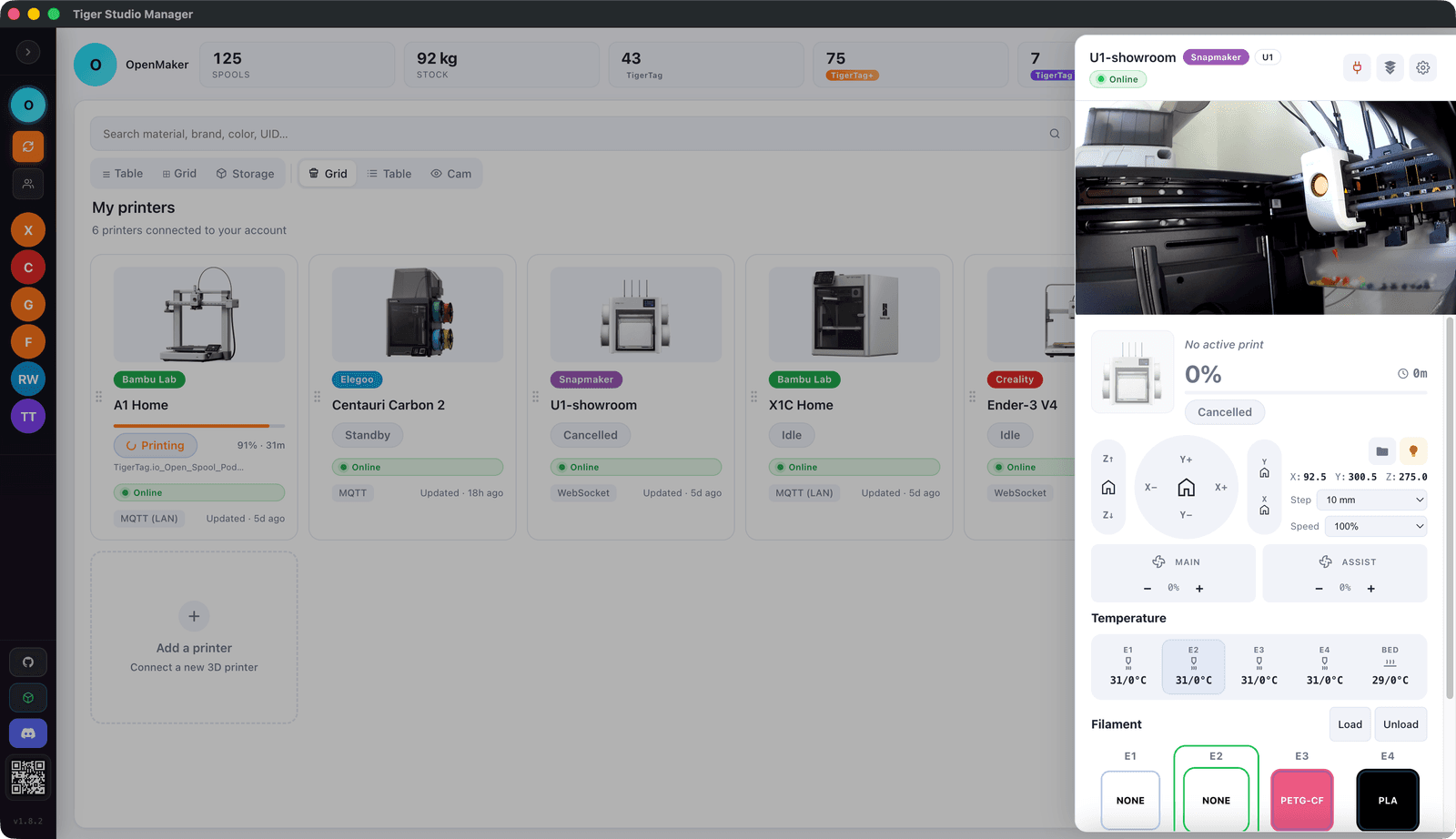
Temperatures, the filament in every slot, the current print and the camera, for each machine. Pause and stop from its card, without leaving the sofa.
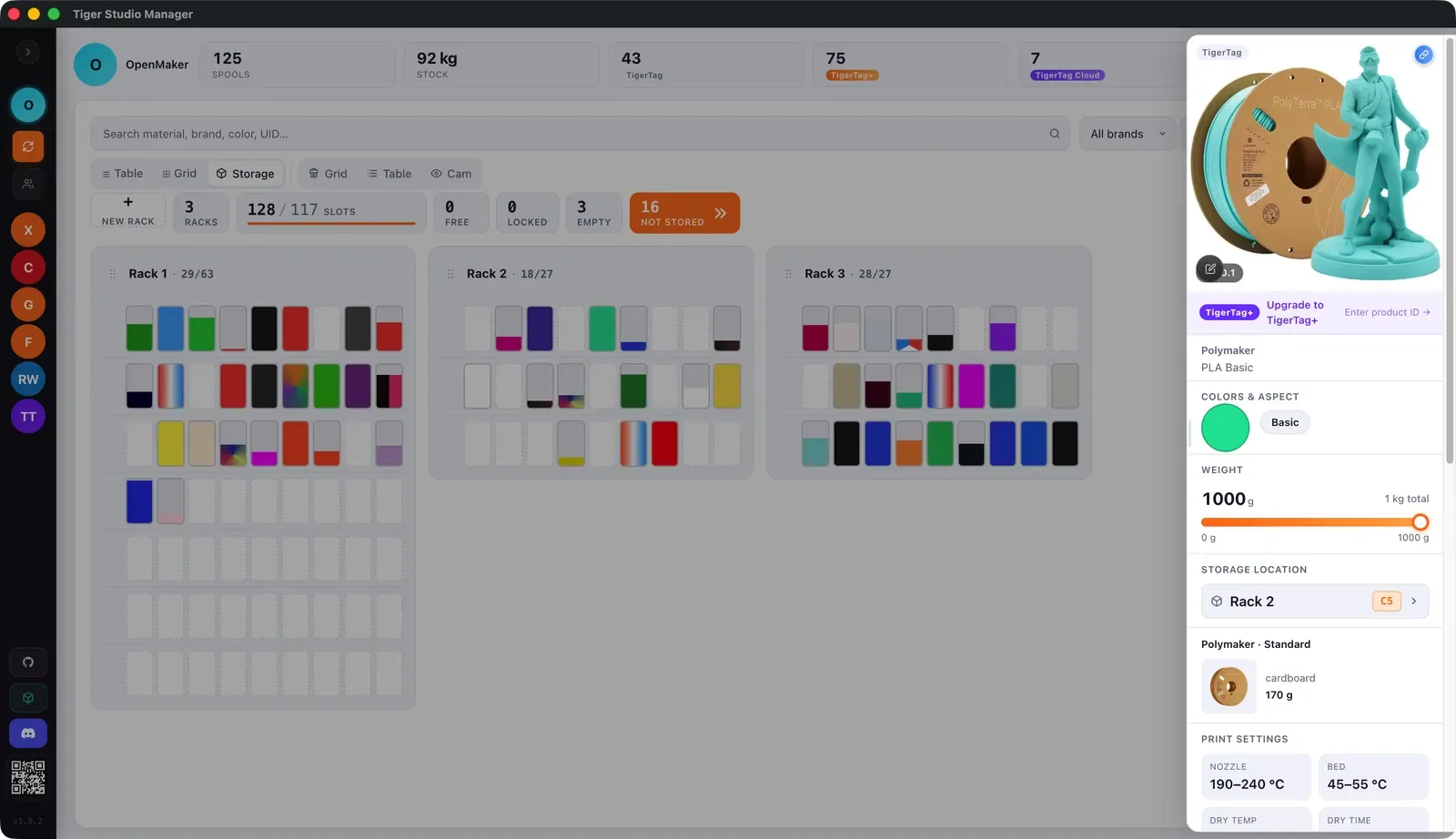
Draw your racks as they stand, up to three rows deep, and drag spools onto their slots. “Where’s the white PETG?” is officially retired.
Put a tagged spool on a reader or a TigerPOD and its page opens. Write TigerTag chips too, and link the chips already on your other spools.
A TigerScale or a Dymo USB scale fills in the weight by itself; a colour sensor reads a filament’s exact colour and how see-through it is. Less typing, fewer guesses.
Every spool in a grid, its photo framed in its own colour, so the red one jumps out. Click one and its details open: material, settings, grams left and where it lives.
Nine printer protocols — Bambu Lab, Creality, Elegoo, Anycubic, Prusa, Snapmaker, FlashForge, Klipper and OctoPrint — each printer with its live state. Type a printer's name and it finds the right connection.
Build each rack with its levels, slots and depth, then place it where it really is. Every slot shows the spool stored in it, and spools without a home stay in view until they get one.
Yes. It is free on Windows, macOS and Linux, and Tiger Studio Web runs the same app in your browser at studio.tigersystem.io.
More than 400 models, and more every month. Tiger Studio Manager 2 speaks nine printer protocols — Bambu Lab, Creality, Elegoo, Anycubic, Prusa, Snapmaker, FlashForge, Klipper and OctoPrint — so a new model built on one of them works too.
No. Add any spool from the official catalogue or by hand. A reader or a TigerPOD just adds the fun part: put the spool down and its page opens.
The same app in your browser, on a computer or a tablet, with the same data and always the same version. NFC readers, sensors and printers stay on the desktop app for now.
Yes. Tiger NFC Connect for iOS and Android shares the same inventory, so a spool changed on one shows up on the other.
Free on Windows, macOS and Linux. Your spools have been waiting for this.
Download Tiger Studio Manager 2