Every brand, one screen
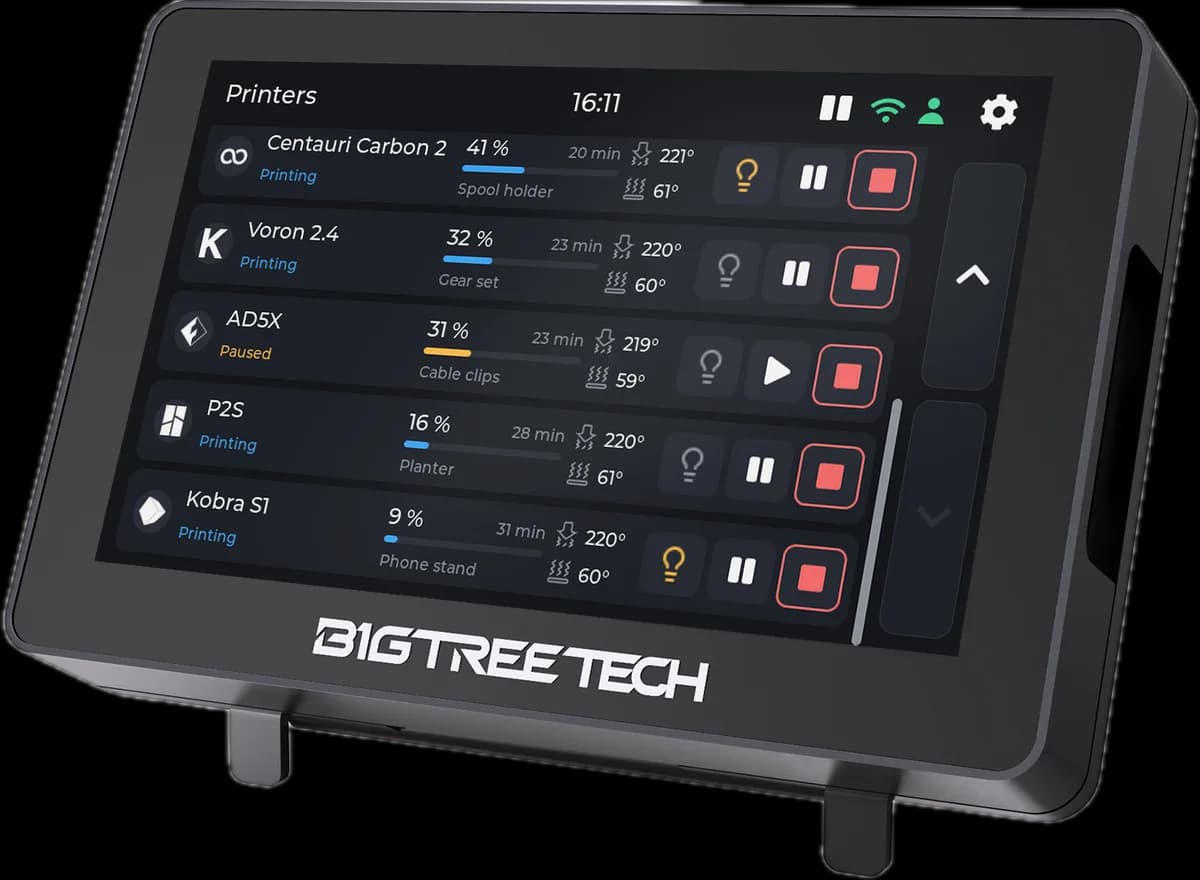
Bambu Lab, Creality, Elegoo, Anycubic, Snapmaker, FlashForge and Prusa, plus any Klipper or OctoPrint machine. Side by side, live, on the same five-inch screen.
Tiger Touch · free firmware for the Panda Touch
Panda Touch gathering dust in a drawer? Tiger Touch is free, open-source firmware for that BIGTREETECH screen: it turns it into one live touchscreen for your Bambu Lab, Creality, Elegoo, Anycubic, Snapmaker, FlashForge, Prusa, Klipper and OctoPrint printers, all at once.
All on the screen you already own. Nothing to solder, nothing to print, no Raspberry Pi, no computer left on.
Bambu Lab, Creality, Elegoo, Anycubic, Snapmaker, FlashForge and Prusa, plus any Klipper or OctoPrint machine. Side by side, live, on the same five-inch screen.
Your printers come from your free TigerSystem account, addresses and access codes included. No IP addresses pecked out with one finger on a tiny screen.
State, progress, file, time left, nozzle, bed and chamber temperatures, plus every filament unit. Up to ten printers at once, as cards or as a list.
Pause, resume, stop (it asks first) and the light, where the printer's connection allows. That is the whole list: it never heats, moves or starts anything. On purpose.
The screen finds new versions over Wi-Fi and asks. Two touches install them, checked first and rolled back by themselves if they fail to start.
Bambu Lab through the Bambu cloud or LAN mode, Anycubic through the Anycubic cloud or your network, every other brand on your local network.
BIGTREETECH sells one 5-inch screen under two names: the Panda Touch, made for Bambu Lab, and the K-Touch, made for Klipper. Tiger Touch replaces the firmware and leaves the hardware exactly as it was. Upcycling, not e-waste.
Add your printers in Tiger Studio Manager 2, the free desktop app, which finds them on your network. Then sign the screen in to the same account, by e-mail or with Google through a QR code on your phone, and pick the printers to follow.
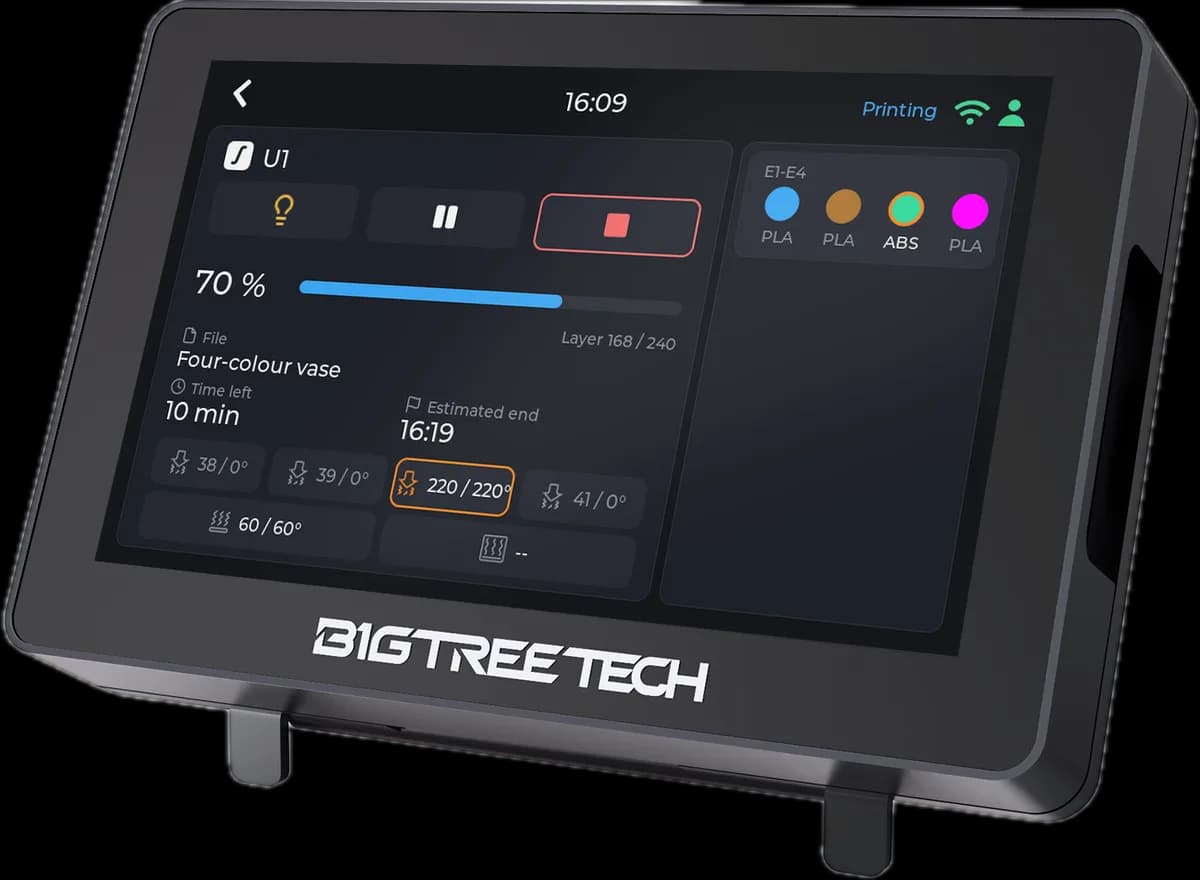
Open a printer for its full view: progress, layers, time left and the estimated end, with every filament unit, AMS, CFS, ACE and the rest, the slot in use ringed. Up to four tool heads, too.
Both. They are the same board; only BIGTREETECH's firmware differs. Nothing to open or solder: the screen stays as BIGTREETECH made it. Tiger Touch is an independent project, not made or endorsed by BIGTREETECH.
Yes, at any time. The install guide shows how to keep a copy of the BIGTREETECH firmware first, so you can put it back whenever you like.
No. You need a computer once, to install it from Chrome or Edge with a USB-C cable. After that, the screen talks to your printers by itself.
No, on purpose. It pauses, resumes, stops after asking, and switches the light. A stray touch on a shared screen never heats, moves or starts anything.
Yes. Free and open source, no subscription. The TigerSystem account and Tiger Studio Manager 2 are free too.
Declare your printers in Tiger Studio Manager 2, plug the screen into a computer with USB-C, open the installer in Chrome or Edge and press Install. A few minutes later, there are your printers.
Install Tiger Touch