Printer manager
What is a 3D printer manager?
A printer manager is software that puts all your 3D printers on one screen — live status, cameras, temperatures and what's loaded in each slot — whatever brand is written on the front. Here's where the problem comes from, what a good one does, and how to pick yours.
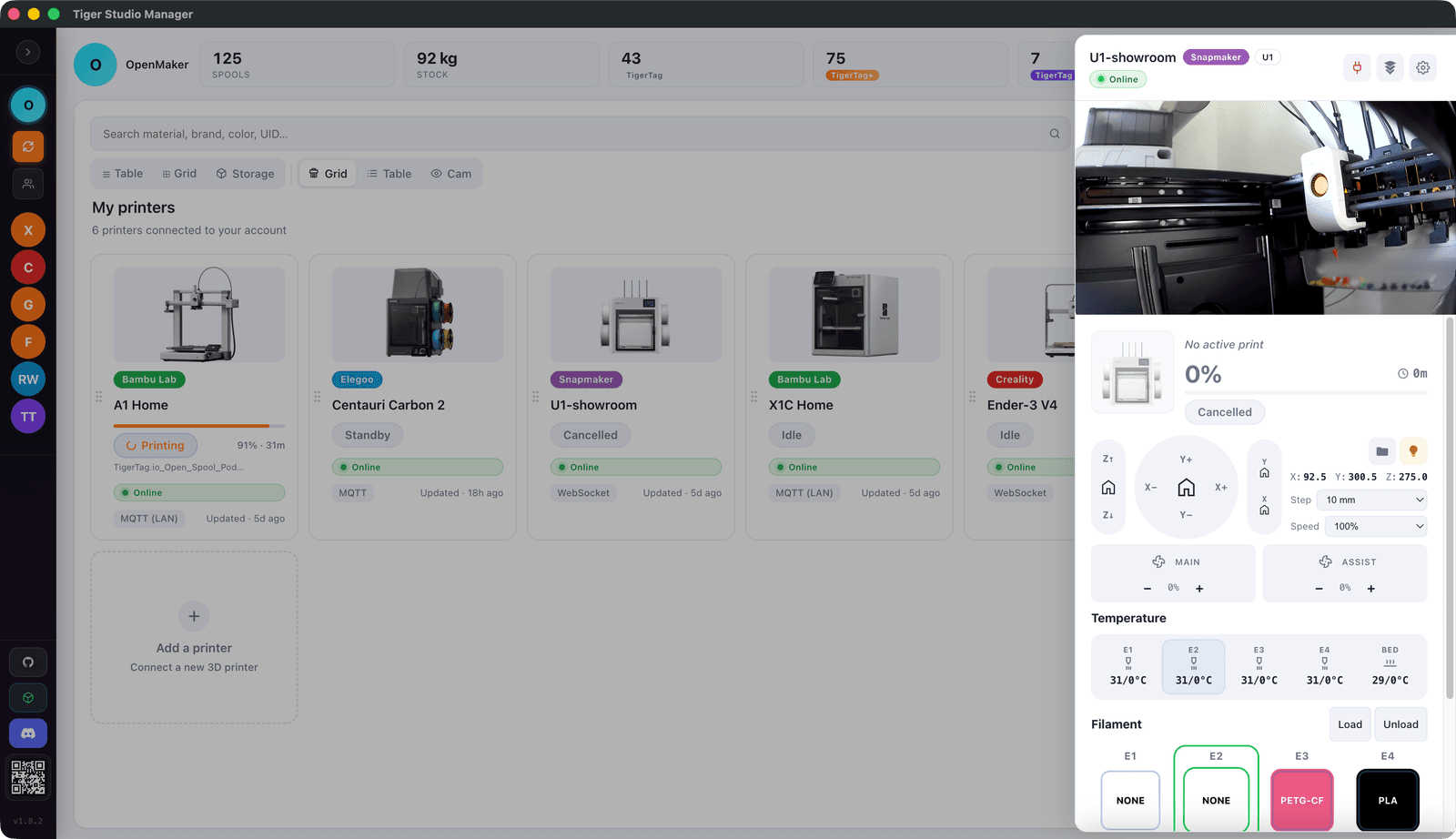
Tiger Studio Manager 2 — the free desktop app.
The problem it solves
Every printer brand ships its own app — and it only cares about its own machines. One printer, fine. Then a second one lands on your desk wearing a different badge, and suddenly you're juggling two apps, two accounts and two ways of doing the same thing — and still walking over to check the first layer.
A printer manager ends the app zoo: every machine in one place, whatever the brand. Which one is printing, which one is free, what each camera sees, what's loaded where — one glance instead of a tour of the house.
What a printer manager does
Six jobs. A good one does them for every machine you own — not just the ones with the right logo.
The fleet on one screen
Every printer and its live status — printing, idle, done — side by side. You spot the free machine before your coffee is finished.
Cameras
Check a first layer from the sofa. Every camera in one window, no hopping between apps.
Temperatures
Nozzle and bed, live, for each machine — so "is it heating?" never requires standing up.
Filament per slot
What's loaded in every slot, matched to a real spool — so the profile always fits what's actually printing.
Prints in progress
What's printing, how far along, how long to go — for the whole fleet at once.
The filament link
A printer manager worth the name knows the shelf too: the spool in the slot is the same spool in your inventory. Two halves, one job.
Which printers?
Bambu Lab, Creality, Elegoo, Anycubic, Prusa, Snapmaker, FlashForge, Klipper and OctoPrint — cameras, temperatures and filament per slot for each, through the app.
404 models on the list, and it keeps growing. See every supported model →
How to choose one
Ours or another — five questions worth asking before you settle in.
Every printer brand
Mixed fleets are the rule, not the exception. The day a machine with a different badge lands on your desk, the manager should just follow.
Runs at home
Your printers are on your desk; the software should live there too. A dashboard that works when the internet doesn't — and doesn't vanish if a server far away does.
Free, actually
Watching your own printers shouldn't be a subscription. Free to install, free to stay — for the whole shelf.
Knows filament too
Half of driving a printer is knowing what's loaded in it. A manager that also tracks your spools closes the loop — profile, colour and grams left included.
No hardware required
No extra box, no dongle, nothing to solder. It should talk to the printers you already own, as they are.
Where Tiger Studio Manager 2 fits
Tiger Studio Manager 2 is a printer manager — a free one.
Nine printer protocols on one screen — Bambu Lab, Creality, Elegoo, Anycubic, Prusa, Snapmaker, FlashForge, Klipper and OctoPrint, more than 400 models — with cameras, temperatures and the filament loaded in each slot. It runs on your machine, with the printers you already own, and costs nothing. Windows, macOS, Linux.
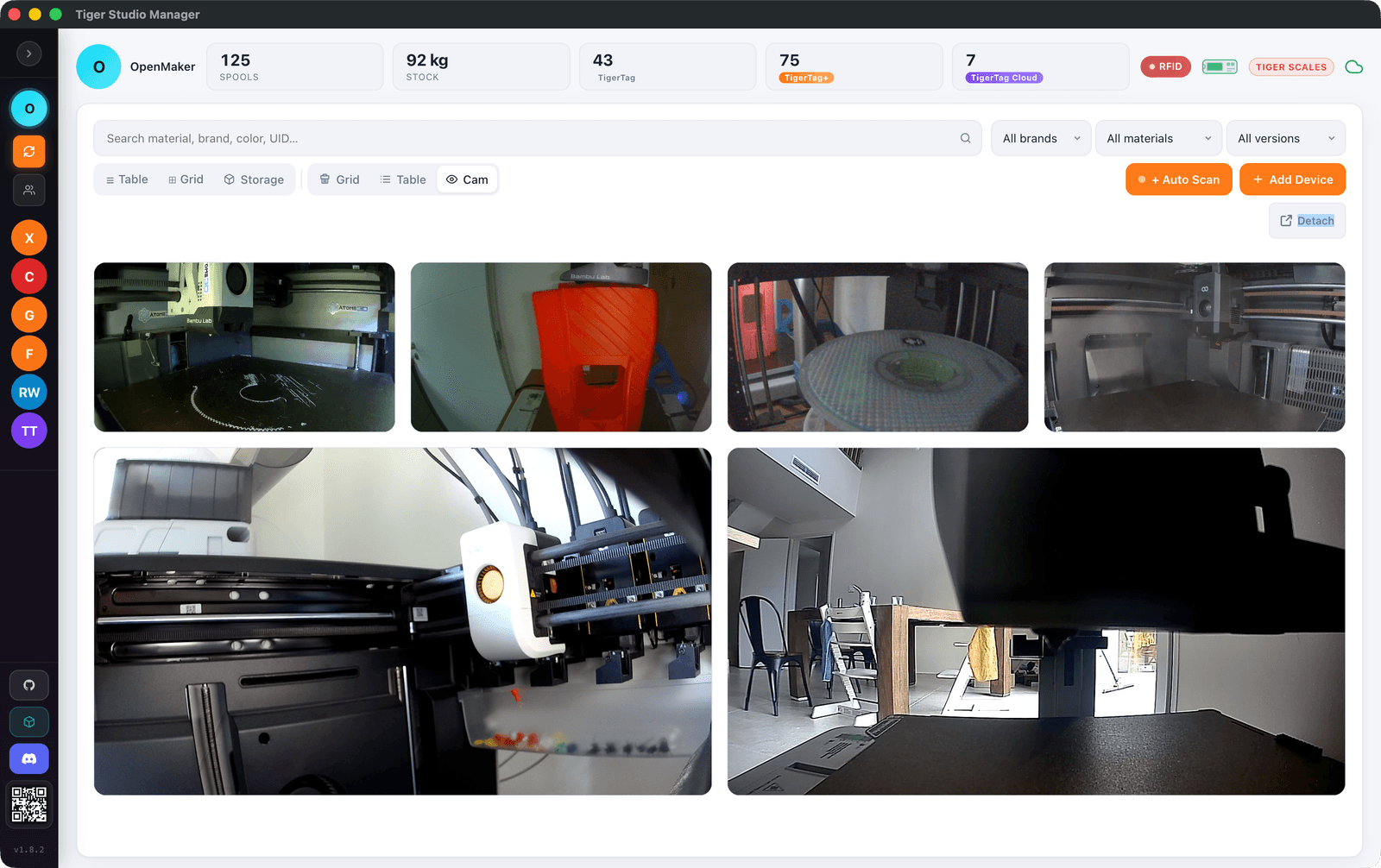
Tiger Studio Manager 2 — live printer panel.
Filament manager
It manages the spools too.
Tiger Studio Manager 2 is also a filament manager: every spool you own, its settings and its grams left, feeding the very slots you see on this page. Same software, other half of the job.
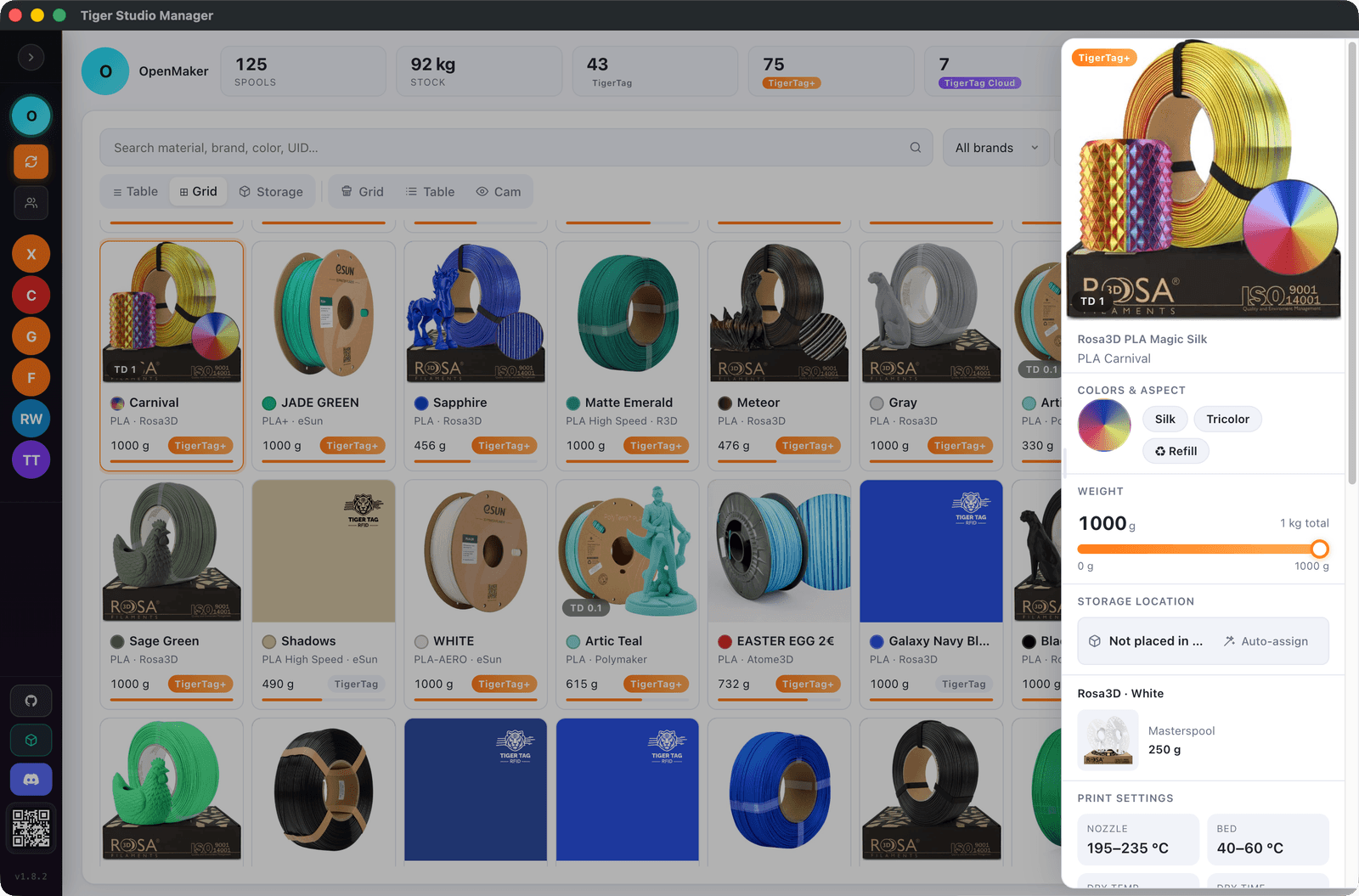
Quick answers
Can one app manage printers from different brands?
Yes — that's the whole point. Tiger Studio Manager 2 puts Bambu Lab, Creality, Elegoo, Flashforge, Snapmaker and Anycubic machines on one screen, for free.
Is there a free way to monitor several 3D printers?
Yes. Tiger Studio Manager 2 is free and shows live status, cameras, temperatures and the filament loaded per slot for the whole fleet, on Windows, macOS and Linux.
Does a printer manager need the cloud?
It shouldn't have to. Tiger Studio Manager 2 talks to your printers over your own network, and to Bambu Lab through its cloud too if you prefer. Your free TigerSystem account links your apps and devices; it does not stand between you and your printer.
Does it replace the slicer?
No — they're teammates. The slicer prepares the print; the manager watches the machines and knows which filament is loaded where.
What about the filament side?
The same software manages the shelf: every spool, its settings and grams left, feeding the slots you monitor. One app, both halves of the job.
Free. No subscription. Works offline. Nothing locked in.
Get Tiger Studio Manager 2 on your desktop, and the app on your phone.