Filament manager
What is a filament manager?
A filament manager is software that keeps track of the filament you own — brand, material, colour, print settings and how much is left on each spool — and hands it all to your printer when you print. Here's where the problem comes from, what a good one does, and how to pick yours.
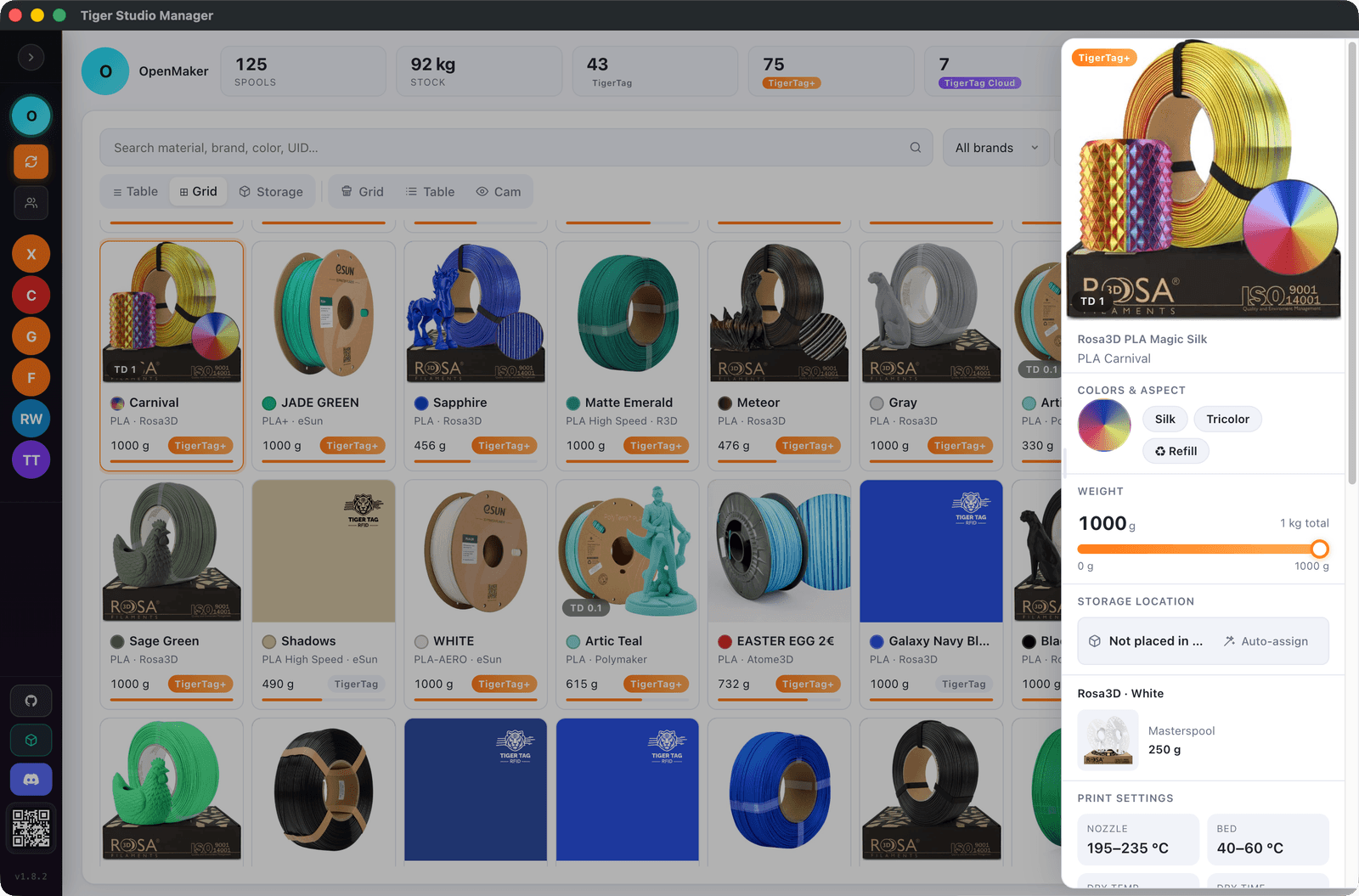
Tiger Studio Manager 2 — the free desktop app.
The problem it solves
A spool's identity lives on a cardboard box, and the box goes in the bin. What's left is a spool that looks exactly like your other black PLA — and prints twenty degrees hotter. Every material has its own temperatures, its own drying rules, its own price. The spool itself? Says nothing.
One printer and three spools fit in your head. Three printers and forty spools don't. That's when people start squeezing spools and keeping a spreadsheet — and the spreadsheet is how every filament manager was born.
What a filament manager does
Six jobs. A good one does most of them; your spreadsheet did two.
Inventory
Every spool you own, every brand, one list — material, colour, diameter, and which shelf it's hiding on.
Print settings
The temperatures each material actually wants, attached to the spool. Written down — not "pretty sure it was 215".
Remaining filament
Grams left on every spool, updated as you print or weighed on a scale — so a 30-hour print doesn't die at 92%.
Storage and drying
Which spools live in the dry box, which material drinks humidity for breakfast, and when one needs drying.
The printer link
It tells your printer or slicer what's loaded in each slot, so the profile always matches the spool. No more PETG printed with PLA numbers.
The record
What a spool cost, when it landed, what it printed. Handy the day you wonder which filament actually fails less.
Where the data comes from
All of the above needs one thing first: knowing which spool is which. Three ways to get there.
- 1
Typed in by hand
You type brand, material, colour, weight. Works with any spool ever made; costs a minute per spool, and the temperatures are whatever the box claimed.
- 2
Picked from a catalogue
Pick the exact product from a database and inherit the real specs — colour, the maker's settings, datasheets. One search instead of ten fields. The public catalogue already lists 20 444 products — photos, settings, datasheets — and it grows every day.
- 3
Read from the spool itself
Some spools ship with an NFC tag written at the factory: tap it with your phone and it's in your inventory — exact product, exact settings, zero typing. Making that work across every brand is exactly what TigerTag exists for.
How to choose one
Ours or another — these are the questions that still matter after week one.
Every filament brand
You won't stay loyal to one filament brand forever. Nobody does. A manager tied to one brand's spools tracks a fraction of your shelf.
Every printer brand
Same story on the machine side: the day a printer with a different badge lands on your desk, the manager should just follow.
Works offline
Your inventory should open when the wifi is down — and outlive anybody's servers. Local data beats a login.
Your data stays yours
Cataloguing forty spools takes hours. Make sure you can export it all before you start, not after.
No hardware required
Tags, readers and scales make things nicer — they should never be the entry ticket. A plain spool and nothing else has to work.
Where Tiger Studio Manager 2 fits
Tiger Studio Manager 2 is a filament manager — a free one.
It does everything on this page: one inventory for every brand, real settings from a public catalogue, grams left, storage, and live status for printers from six manufacturers. It reads NFC spools with a tap — and works fine with no chip at all. Windows, macOS, Linux.
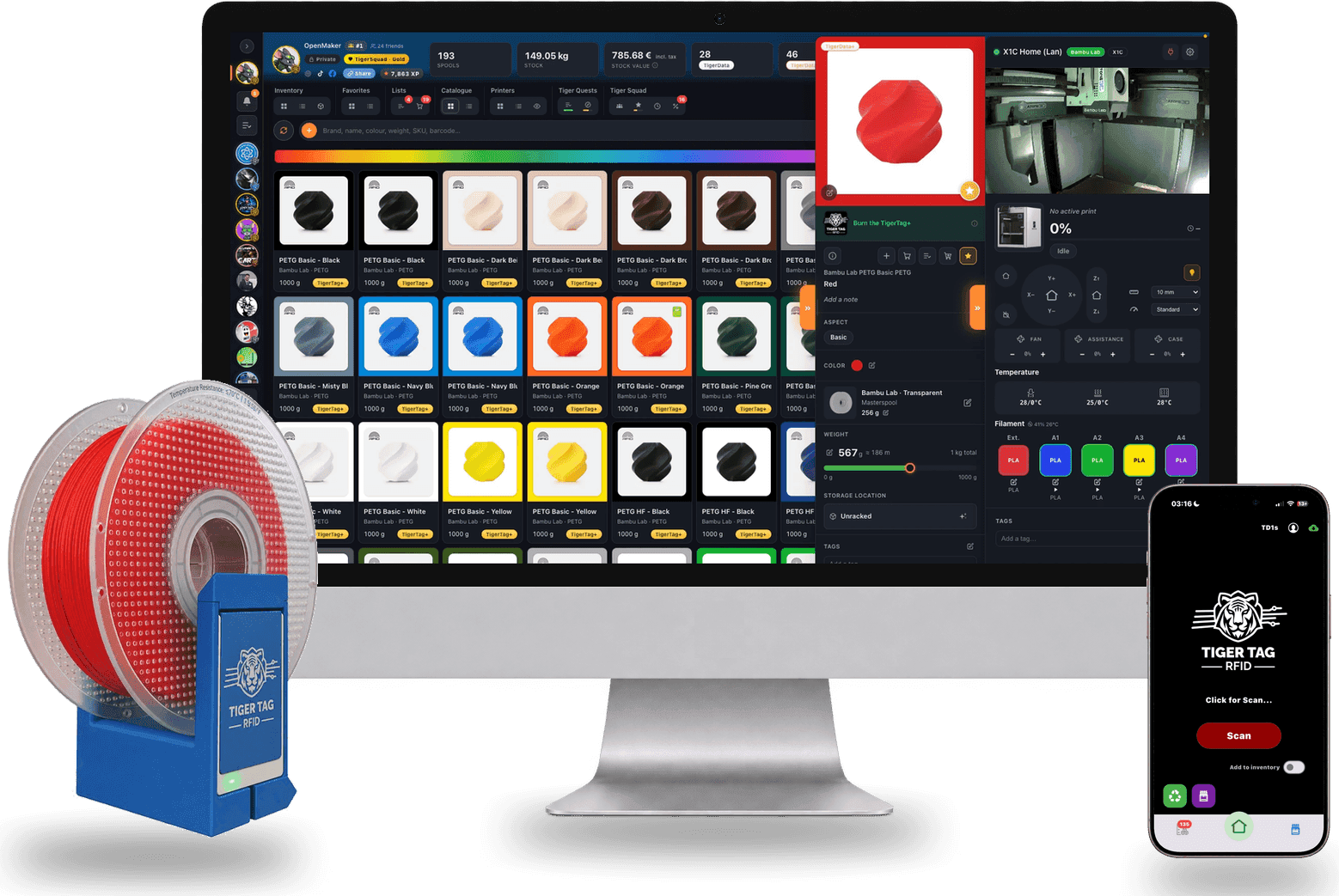
Printer manager
It drives the printers too.
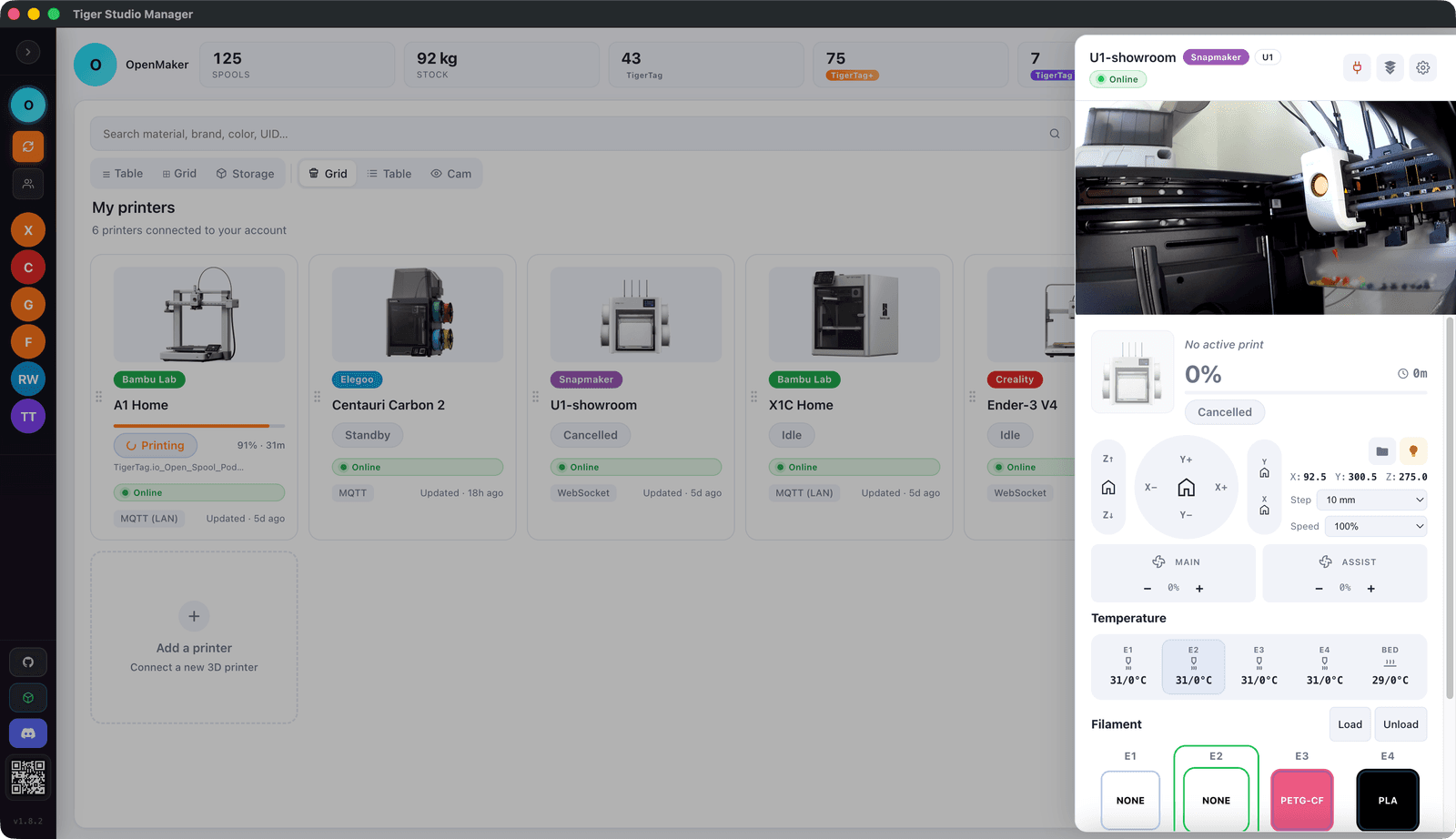
Tiger Studio Manager 2 is also a printer manager: Bambu Lab, Creality, Elegoo, Flashforge, Snapmaker and Anycubic on one screen — cameras, temperatures, and what's loaded in each slot. The shelf and the machines, finally in the same place.
Quick answers
Is there a good free filament manager?
Yes — Tiger Studio Manager 2 is free and does everything on this page, on Windows, macOS and Linux. Whichever you pick, check the week-one criteria above: every brand, offline, your data exportable.
Do I need one with a single printer?
A dozen spools is where memory starts failing, one printer or not. It pays for itself the first time two black PLAs stop being interchangeable.
How does it know how much filament is left?
The manager subtracts what each print uses, and a scale keeps the number honest. On NFC-tagged spools, one tap updates it.
Do I need NFC tags on my spools?
No — you can type spools in or pick them from a catalogue. Tags just remove the typing: a tap identifies the spool exactly, settings included.
Does a filament manager work offline?
A good one keeps the essentials close. Tiger Studio Manager 2 carries its filament catalogue inside the app, searchable offline, and talks to your printers over your own network. Your free TigerSystem account keeps your inventory in step across your devices and apps.
Free. No subscription. Works offline. Nothing locked in.
Get Tiger Studio Manager 2 on your desktop, and the app on your phone.